Discovery
Explore the software at your own pace.
0 €with no time limit
- 10 patients
- 20 AI interpretations
- All analysis modules included

Organized records. Informed sessions. Bring your practice management and insights from the AIO Brain together in one workspace.
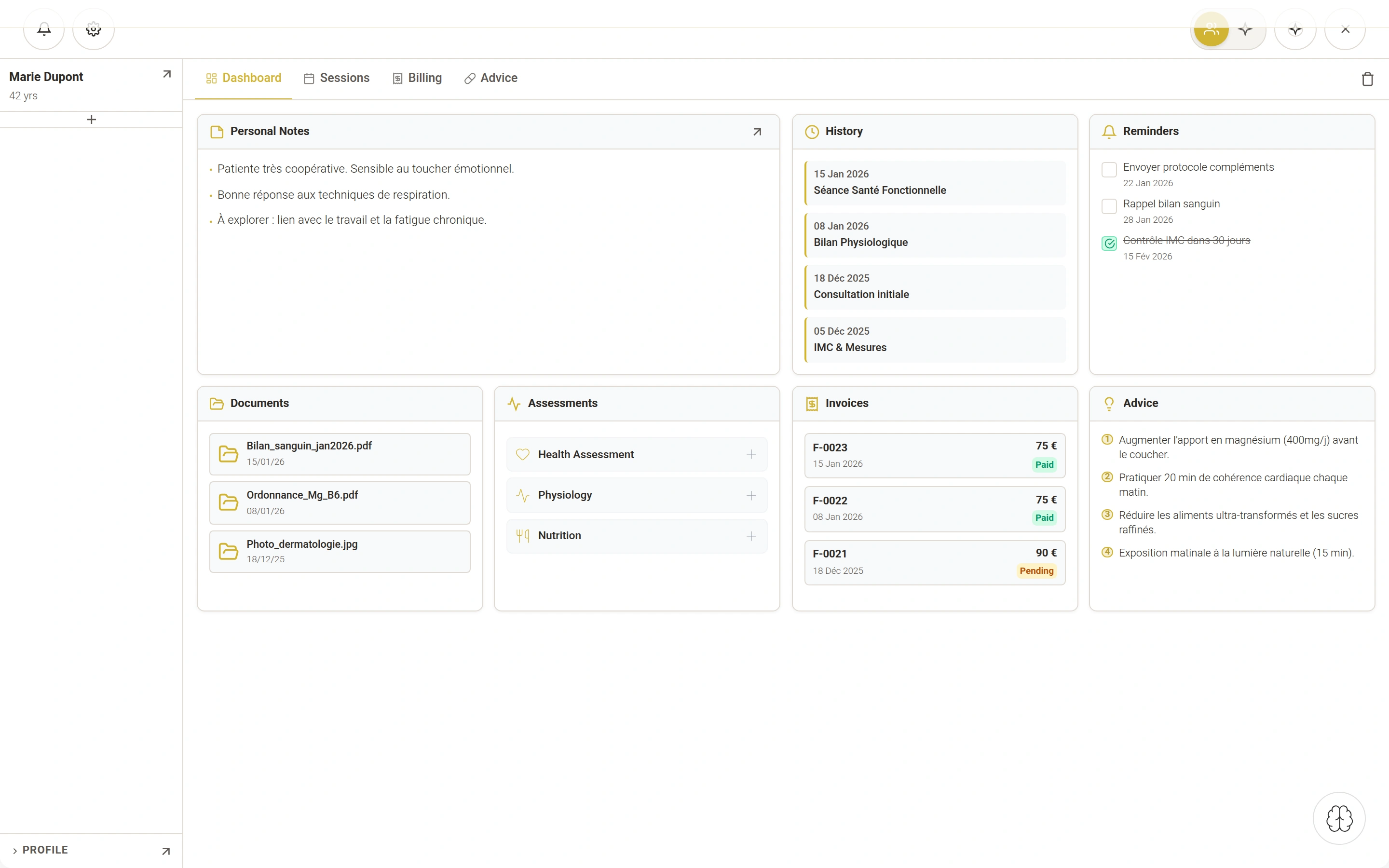
One shared workspace, with tools that adapt to your approach.
From patient records to sessions, every piece of information has its place.
See the essentials of patient follow-up at a glance.
From your notes, the AIO Brain connects its concepts and suggests questions. Depending on the tool, symbolic interpretation and PNI markers enrich your perspective.
Explore the AIO BrainUnderstand the method“I carry everything on my shoulders. I say yes to everyone, and I can’t catch my breath anymore.”
An illustrative example informed by the AIO framework.
This reason for a session highlights tension between making room for others, expressing personal needs and feeling short of space. Connections to explore, not a conclusion about the person.
Opening prompt
“What are you avoiding today for fear of reliving a painful experience?”
These readings are working hypotheses, never a diagnosis. The practitioner remains in control of their interpretation and the course of the session.
Installed software that requires an Internet connection to work.
CRM-AIO runs on desktop computers. Phones and tablets can be used to explore the website.
You need an Internet connection to use the CRM, validate your licence and access AI features.
Patient records are stored on your computer. Use the built-in backup feature to keep a copy.
Start with Discovery, then choose based on your follow-up and analysis needs.
Explore the software at your own pace.
Follow up with all your patients.
Go further with your session analyses.
Records and billing included in every plan.
Compare plansCRM-AIO is available on Windows and Mac computers. The software cannot be installed on phones or tablets.
Yes. An Internet connection is required to use CRM-AIO, including its licence and AI features. Local record storage does not mean the software works offline.
Discovery is free with no time limit. It includes up to 10 patients, records and billing, analysis modules and 20 AI interpretations.
Records are stored locally on your computer. The backup feature lets you export your database to keep a copy. Visit our Transparency page for details about services and processing.
You can manage or stop your subscription through the billing portal in your account. Check your plan’s terms for the date your access ends.
Download the free Discovery version and start organizing your practice at your own pace.